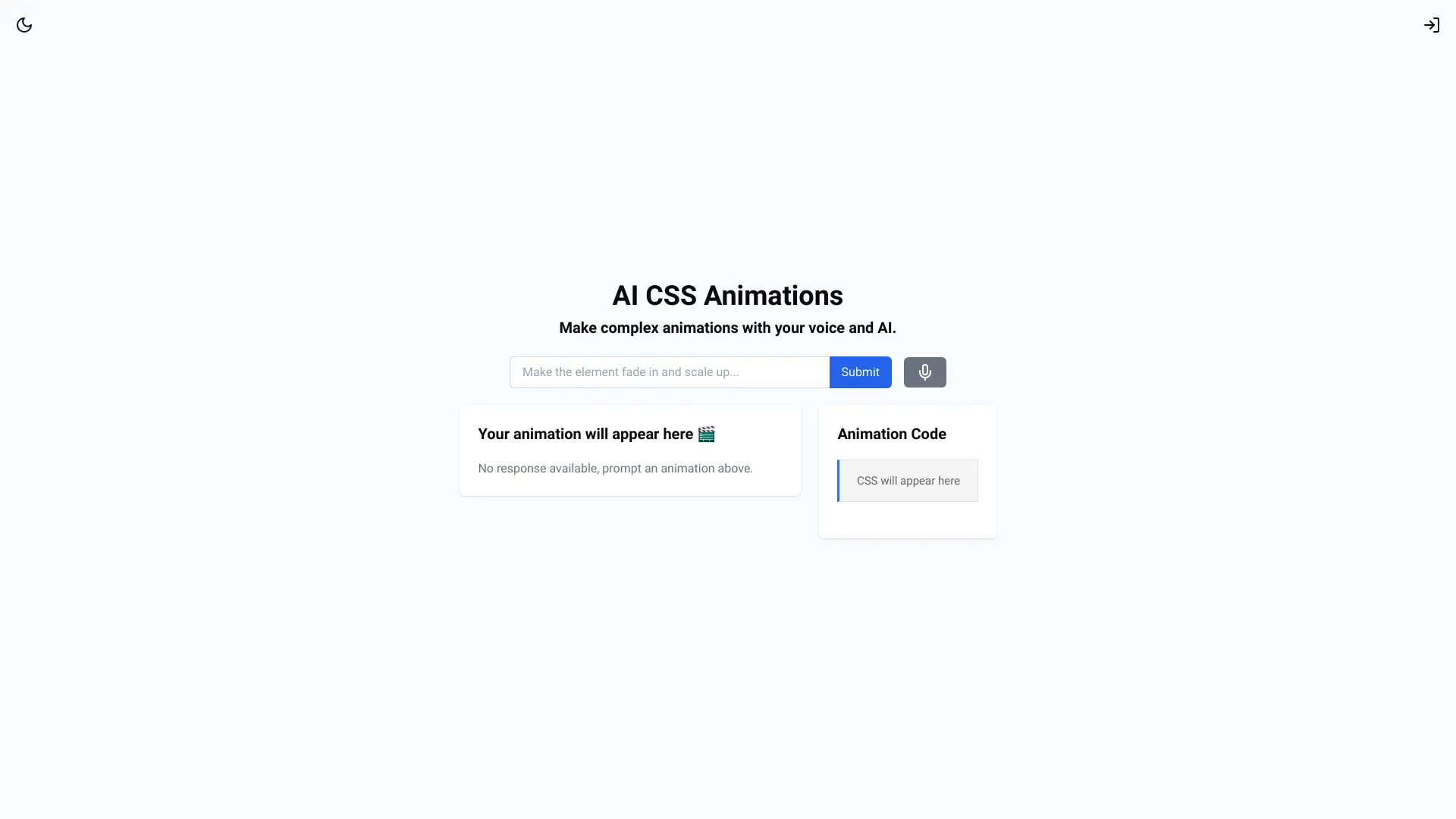
AI CSS Animations
Title: Easily Create AI-Powered CSS Animations Meta Description: Discover how to effortlessly create stunning AI-powered CSS animations that enhance your web design and engage your audience. Are you looking to elevate your web design with captivating animations? With the power of AI, creating CSS animations has never been easier. In this guide, we’ll explore simple steps to help you integrate AI-driven animations into your projects. 1. **Understanding AI-Powered Animations** AI-powered animations utilize machine learning algorithms to generate dynamic effects that respond to user interactions. This technology allows for more personalized and engaging experiences. 2. **Getting Started with CSS Animations** To begin, familiarize yourself with the basics of CSS animations. Use keyframes to define the start and end points of your animation, and apply transitions to create smooth effects. 3. **Incorporating AI Tools** Leverage AI tools like Lottie or Animate.css to simplify the animation process. These tools provide pre-built animations that can be easily customized to fit your design needs. 4. **Enhancing User Experience** Focus on user experience by ensuring your animations are not only visually appealing but also functional. Use animations to guide users through your site, highlight important information, or provide feedback on actions. 5. **Testing and Optimization** After implementing your animations, test them across different devices and browsers to ensure compatibility. Optimize your CSS code to improve loading times and overall performance. By following these steps, you can easily create AI-powered CSS animations that not only enhance your website's aesthetic but also improve user engagement. Start experimenting today and watch your web design come to life!
AI Project Details
AI CSS Animations review: prompt-to-CSS animation generator for front-end teams
AI CSS Animations is a small focused tool for generating CSS animation snippets from text prompts. The product page presents a prompt box, animation examples, and a workflow aimed at producing CSS effects that developers can copy into a project.
That narrow scope is a strength. Many AI developer tools try to generate entire applications, but front-end teams often need a faster way to prototype one motion idea: a loading state, button hover, text reveal, attention cue, decorative movement, or microinteraction.
Best-fit use cases
| Use case | AI CSS Animations fit | Notes | |---|---:|---| | Quick CSS animation prototypes | High | Strong fit for generating starting points from plain-language ideas. | | Microinteractions | Medium to high | Useful for hovers, reveals, alerts, and lightweight UI motion. | | Learning CSS animation patterns | Medium | Good for examples, but developers should still understand the output. | | Production design systems | Medium | Generated CSS needs cleanup, naming, tokens, and accessibility review. | | Complex motion choreography | Low to medium | Larger animation systems may need GSAP, Framer Motion, or hand-authored code. |
What developers should verify
Before using generated CSS in production, check selector names, keyframe naming collisions, reduced-motion behavior, performance on mobile, layout shifts, timing, accessibility, browser support, code size, and whether the animation helps the user rather than distracting them.
For indexable content quality, this page should frame AI CSS Animations as a prototyping helper. The publishable value is not "AI writes CSS," but "developers can quickly explore motion ideas, then adapt the output to the app's design system."
Strengths
- Focused use case with little onboarding friction.
- Helpful for brainstorming and learning CSS animation ideas.
- Produces developer-facing output that can be inspected and modified.
Limitations
- Generated snippets still need code review and accessibility checks.
- Not a full animation framework or design-system workflow.
- Prompt quality and developer judgment determine whether the output is usable.
Bottom line
AI CSS Animations should be indexed as a prompt-to-CSS animation generator for front-end prototyping. It is useful for quick motion exploration, but production use requires cleanup, reduced-motion support, and performance testing.
Sources reviewed: AI CSS Animations homepage.
FAQ
What is AI CSS Animations best for?
AI CSS Animations is best for quickly generating CSS animation ideas and starter snippets for microinteractions, loaders, reveals, and lightweight UI motion.
Can developers use the generated CSS in production?
Yes, but they should review names, performance, browser support, layout stability, and reduced-motion accessibility before shipping it.
Is AI CSS Animations a replacement for Framer Motion or GSAP?
No. It is better as a snippet and prototyping tool. Complex choreography, stateful animation, and design-system motion usually need a dedicated library or hand-authored code.