components.ai
Title: Discover the Power of Generative Design Systems Meta Description: Unleash creativity and innovation with generative design systems. Learn how these advanced tools can transform your design process and enhance product development. Generative design systems are revolutionizing the way we approach design and engineering. By leveraging algorithms and computational power, these systems can generate a multitude of design alternatives based on specific parameters and constraints. This innovative approach not only saves time but also opens up new possibilities for creativity and efficiency. Key Benefits of Generative Design Systems: 1. Enhanced Creativity: Generative design encourages out-of-the-box thinking by producing unique design options that may not have been considered by human designers. 2. Optimized Performance: By analyzing various factors such as materials, manufacturing methods, and environmental impact, generative design systems can create solutions that maximize performance and sustainability. 3. Time Efficiency: Automating the design process allows teams to focus on refining and selecting the best options, significantly reducing the time from concept to production. 4. Cost Reduction: By optimizing materials and processes, generative design can lead to significant cost savings in manufacturing and production. 5. Customization: Generative design systems can easily adapt to specific user needs, allowing for tailored solutions that meet individual requirements. In conclusion, generative design systems are not just a trend; they are a powerful tool that can enhance creativity, optimize performance, and streamline the design process. Embrace the future of design and explore how these systems can transform your projects today.
AI Project Details
Components AI review: generative design systems and parametric UI tools
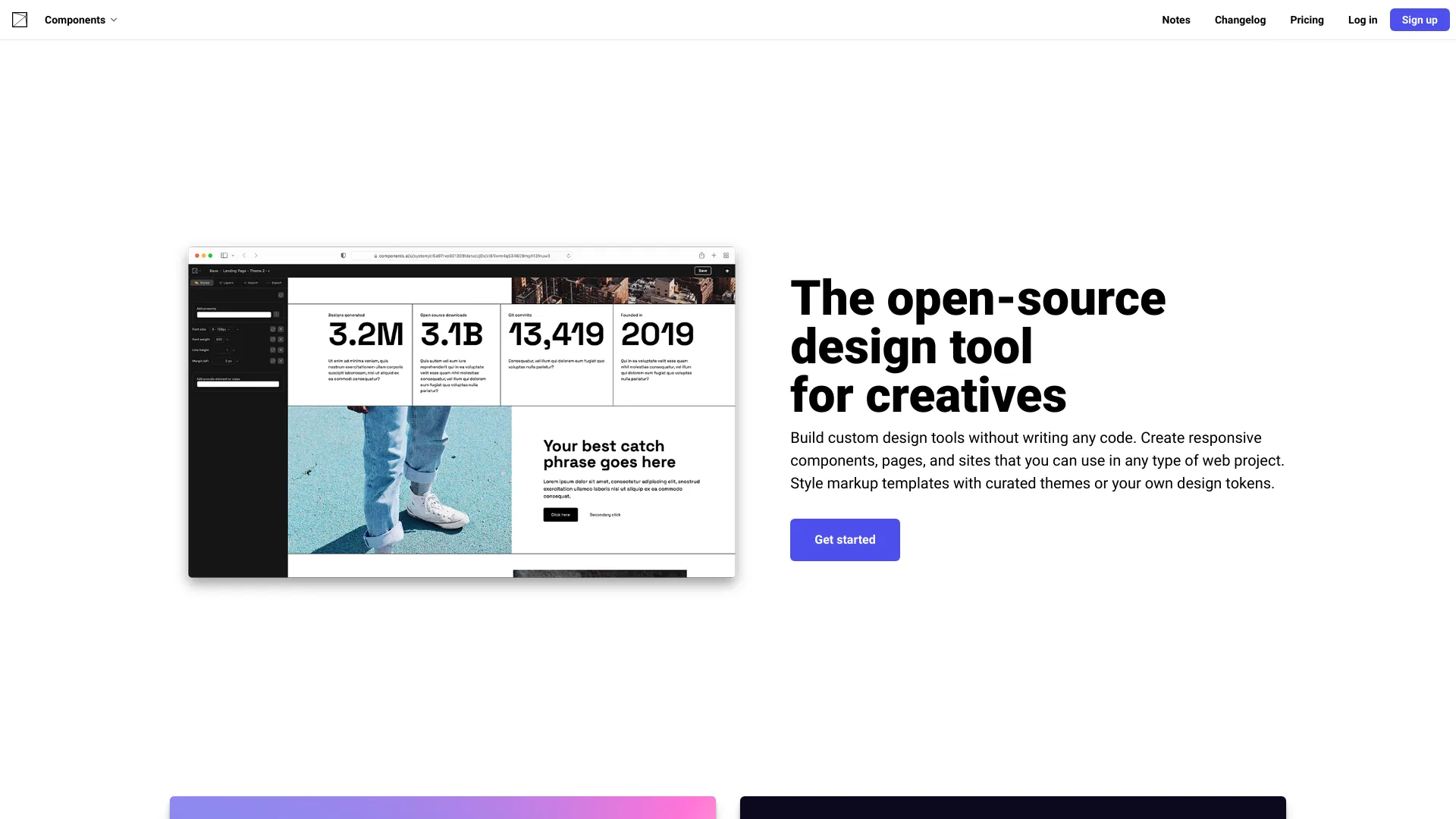
Components AI is an open-source design tool for creating generative design systems, responsive components, pages, and web-ready visual assets. The homepage describes a no-code way to build custom design tools, style markup templates with curated themes or design tokens, import visual brand values from an existing website, generate color systems, create responsive type scales, work with shadows and syntax themes, and export designs in formats such as React, JS, JSON, JSX, SVG, PNG, HTML, CSS, CSS custom properties, and Sass.
The strongest fit is a designer, frontend engineer, brand systems owner, or creative technologist who wants repeatable visual systems instead of one-off static mockups. Components AI is not a conventional website builder. It is closer to a parametric design lab where teams can explore many variations, lock useful parameters, export assets, and turn design tokens into reusable web output.
Best-fit use cases
| Use case | Fit | Notes | |---|---:|---| | Generative design systems | High | The product centers on parameters, tokens, and generated variations. | | Color and theme exploration | High | Dedicated color scales, themes, and brand-token tools are promoted. | | Frontend-ready asset export | Medium to high | Many export formats are listed. | | Client-facing design exploration | Medium | One-click publishing can help present options. | | Traditional drag-and-drop site building | Low to medium | Other builders are better for ordinary pages. |
What users should verify
Teams should test export quality, design-token compatibility, React and CSS output, accessibility of generated color systems, responsive behavior, private-project support, collaboration workflow, hosted publishing, licensing for open-source components, project organization, support level, and whether outputs fit the team's existing design system.
Strengths
- Strong for systematic visual exploration rather than single-output design generation.
- Useful export range for designers and frontend teams.
- Pricing page offers a free creator tier and a Pro tier with private projects, unlimited themes, sites, projects, folders, templates, and support.
- Good fit for teams that treat design tokens as production assets.
Limitations
- It is specialized; non-technical marketers may prefer a simpler page builder.
- Generated output still needs design review, accessibility checks, and production QA.
- Enterprise teams should verify permissions, support, governance, and private-project workflows.
- The product is strongest when the user understands systems, tokens, or frontend constraints.
Bottom line
Components AI is best for teams that want to explore and export generative design systems with real web formats. It can be valuable for brand systems, UI exploration, and creative tooling, but it should be paired with accessibility review and engineering validation before production use.
Sources reviewed: Components AI homepage, Components AI pricing.
FAQ
What is Components AI best for?
Components AI is best for exploring generative design systems, themes, color scales, responsive components, and frontend-ready visual assets.
Can Components AI export code?
Yes. The homepage lists exports including React, JS, JSON, JSX, SVG, PNG, HTML, CSS, CSS custom properties, and Sass.
What should teams check before using Components AI?
Teams should check export quality, accessibility, design-token fit, responsive behavior, collaboration, private projects, licensing, and production QA requirements.