Dune
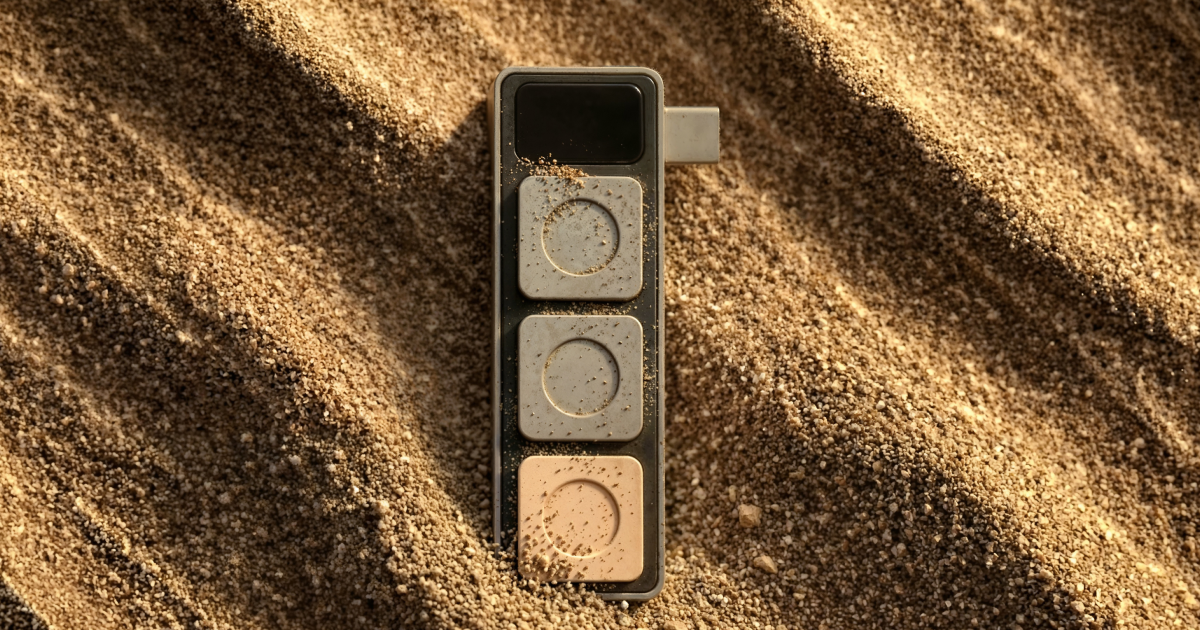
Context-aware three-key Mac keypad that remaps itself by foreground app and can trigger automation or connected AI agent actions without changing windows.

AI Project Details
Dune review: Context-aware three-key Mac keypad that remaps itself by foreground app and can trigger automation or connected AI agent actions without changing windows.
Dune is aimed at mac users who jump between coding, reviews, meetings, and agent workflows and want fast physical shortcuts for each context. The current product materials describe a workflow built around connect dune, let it detect the active app, assign app-specific actions to the three keys, and use those keys to trigger review steps, meeting controls, or ai-agent actions. That makes the page easier to read as an operating model, not just a brand claim.
Why it is timely
Dune blends physical controls with agent workflows, which is a different angle from purely on-screen AI productivity tools. The launch materials clearly show the context-switching model: the same keys change behavior by app, including GitHub, Zoom, and AI-agent triggers. It is notable because it treats AI actions as one part of a broader app-aware shortcut system instead of a separate assistant window.
How the workflow works in practice
A sensible first pass is to start from the product's main entry point and test the shortest path to value. For Dune, that means users should connect dune, let it detect the active app, assign app-specific actions to the three keys, and use those keys to trigger review steps, meeting controls, or ai-agent actions. If that loop reduces review drag, coordination, or governance work, the product is doing something real.
Where Dune stands out
| Evaluation angle | Fit | Why it matters | | --- | --- | --- | | Best-fit user | High | Mac users who jump between coding, reviews, meetings, and agent workflows and want fast physical shortcuts for each context. | | Core workflow clarity | High | Connect Dune, let it detect the active app, assign app-specific actions to the three keys, and use those keys to trigger review steps, meeting controls, or AI-agent actions. | | Switching cost reducer | Medium to high | Dune blends physical controls with agent workflows, which is a different angle from purely on-screen AI productivity tools. | | Adoption risk | Medium | Buyers should wait for final hardware pricing and confirm how much they want a dedicated physical accessory versus software shortcuts. |
Practical use cases
- Triggering AI-agent actions without leaving the current app
- Switching meeting and review controls based on the active Mac application
- Using physical shortcuts for repetitive coding or communication workflows
Limits and buying notes
Buyers should wait for final hardware pricing and confirm how much they want a dedicated physical accessory versus software shortcuts. The value is tightly linked to macOS and app-specific setup, so it is not a universal fit across every workstation. Pricing status today: The reviewed launch page offers an early reservation for $1 with $50 off at launch, but full hardware pricing was not yet publicly published during review.
FAQ
What is Dune best for?
Dune is strongest when triggering ai-agent actions without leaving the current app matters more than a generic AI demo. The official product materials position it around a concrete workflow rather than a blank chatbot shell.
Who should try Dune first?
Mac users who jump between coding, reviews, meetings, and agent workflows and want fast physical shortcuts for each context. Teams with a real workflow match will get value faster than general curiosity users.
What should buyers verify before adopting Dune?
Buyers should wait for final hardware pricing and confirm how much they want a dedicated physical accessory versus software shortcuts. The value is tightly linked to macOS and app-specific setup, so it is not a universal fit across every workstation. Pricing, privacy, and workflow fit should be checked directly on the current product before rollout.
Reviewed sources
- https://dune.projectmirage.ai/
- https://www.projectmirage.ai/
- https://hunted.space/product/dune-4
FAQ
What is Dune best for?
Dune is strongest when triggering ai-agent actions without leaving the current app matters more than a generic AI demo. The official product materials position it around a concrete workflow rather than a blank chatbot shell.
Who should try Dune first?
Mac users who jump between coding, reviews, meetings, and agent workflows and want fast physical shortcuts for each context. Teams with a real workflow match will get value faster than general curiosity users.
What should buyers verify before adopting Dune?
Buyers should wait for final hardware pricing and confirm how much they want a dedicated physical accessory versus software shortcuts. The value is tightly linked to macOS and app-specific setup, so it is not a universal fit across every workstation. Pricing, privacy, and workflow fit should be checked directly on the current product before rollout.