Fotor AI
The Ultimate AI Photo Editor: Transform Your Images Effortlessly In today's digital age, having stunning photos is essential for personal and professional use. The ultimate AI photo editor is designed to enhance your images with just a few clicks, making photo editing accessible to everyone, regardless of skill level. Key Features of the Ultimate AI Photo Editor: 1. **Intelligent Enhancements**: Our AI technology analyzes your photos and automatically applies enhancements to improve brightness, contrast, and color balance, ensuring your images look their best. 2. **One-Click Filters**: Choose from a variety of artistic filters that can transform your photos into stunning works of art. With just one click, you can give your images a unique style that stands out. 3. **Background Removal**: Effortlessly remove backgrounds from your images with our advanced AI tools. This feature is perfect for creating professional-looking portraits or product images. 4. **Retouching Tools**: Smooth skin, whiten teeth, and remove blemishes with our easy-to-use retouching tools. Achieve a polished look for portraits and selfies in no time. 5. **Collage Maker**: Create beautiful collages by combining multiple images into one stunning layout. Our collage maker offers various templates to suit any occasion. 6. **User-Friendly Interface**: The intuitive design of our AI photo editor makes it easy for anyone to navigate and use, ensuring a seamless editing experience. With the ultimate AI photo editor, you can elevate your photography game and create eye-catching images that capture attention. Whether you're a social media enthusiast, a professional photographer, or just someone who loves taking pictures, this tool is your go-to solution for all your photo editing needs. Start transforming your images today!
AI Project Details
Fotor AI review: broad AI photo editing, generation, and design tools
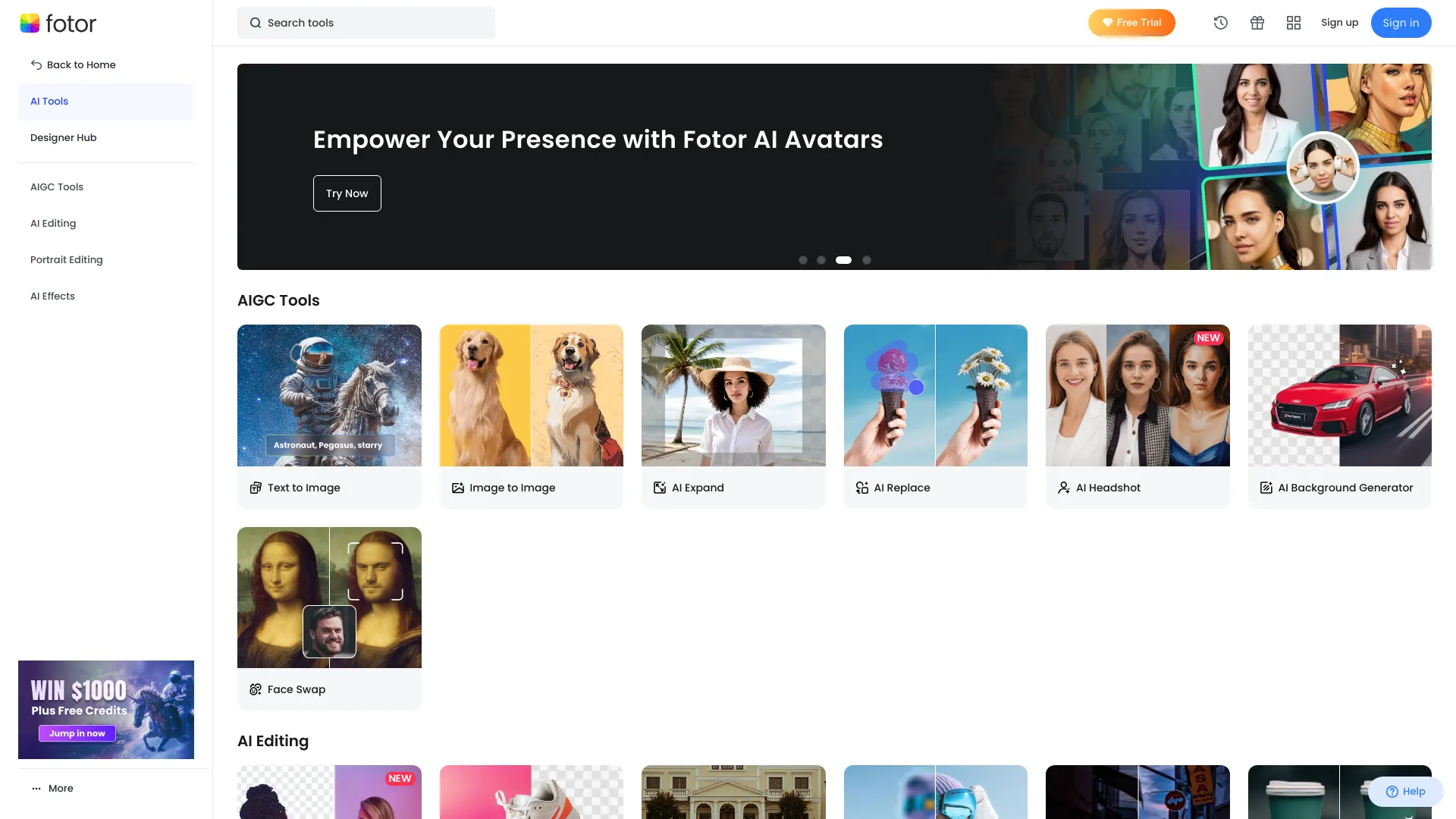
Fotor AI is a broad AI image and design toolset inside Fotor's photo-editing platform. Its AI pages cover photo enhancement, unblur and sharpen, background removal, object removal, AI replacement, image extension, restoration, colorization, AI image generation, headshots, avatars, portraits, video tools, templates, logo and flyer makers, social graphics, and developer API access.
The strongest fit is breadth. Fotor is useful for individuals, marketers, and small businesses that want one approachable place for common image jobs rather than a specialist tool for only one operation.
Best-fit use cases
| Use case | Fotor AI fit | Notes | |---|---:|---| | Everyday AI photo editing | High | Good for enhancement, cleanup, background, filters, restoration, and resizing. | | Small-business design assets | Medium to high | Templates and maker tools help non-designers ship common graphics. | | AI image generation and portraits | Medium to high | Useful for ideation, but brand and rights review still matter. | | Batch or API image workflows | Medium | API and batch tools exist, but dedicated services may fit high-volume ops better. | | Professional retouching pipeline | Medium | Expert tools may still be needed for precision campaigns. |
Strengths
- Very broad AI and traditional image-editing feature set.
- Approachable for non-designers who need quick edits, templates, and creative variants.
- Covers both utility tasks and creative generation in one place.
- API and multi-platform editing options make it more flexible than a single web utility.
Limitations
- Breadth can make it less specialized than best-in-class tools for one exact task.
- AI-generated portraits, headshots, and avatars require likeness, consent, and representation review.
- Watermark removal and object removal should be used only on assets the user has rights to edit.
- Teams should test export quality, template flexibility, and plan limits before production use.
TakeAI verdict
Fotor AI is a good general-purpose choice when a user needs many common image tasks in one accessible interface. It is not always the deepest tool for a single production workflow, but it is practical for small teams and solo creators. A pilot should compare five common jobs: enhance, background removal, object removal, resize/export, and one AI-generated asset, then score quality, rights risk, and time saved.
Sources reviewed: Fotor AI homepage, Fotor AI photo editor, Fotor AI image generator, Fotor developers.
FAQ
What is Fotor AI best for?
Fotor AI is best for everyday AI photo editing, image enhancement, background and object removal, restoration, templates, portraits, avatars, and general creative image generation.
Is Fotor AI better than a specialist background remover?
Fotor is broader, while a specialist tool may be better for high-volume or highly accurate background removal. The right choice depends on whether breadth or depth matters more.
What should teams test before adopting Fotor AI?
Test export quality, batch needs, object-removal accuracy, generated-image rights, template flexibility, API requirements, plan limits, and brand review effort.