Lindy
Build Your Own AI Agents with No-Code In today's digital landscape, creating your own AI agents has never been easier. With no-code platforms, you can design and deploy intelligent agents without needing extensive programming knowledge. This guide will walk you through the essential steps to get started. Why Choose No-Code Solutions? No-code platforms empower users to build AI agents quickly and efficiently. They offer intuitive interfaces that allow you to drag and drop components, making the development process accessible to everyone. Whether you're a business owner, a marketer, or just someone interested in technology, no-code solutions can help you harness the power of AI. Key Features of No-Code AI Platforms 1. User-Friendly Interface: Navigate easily with simple drag-and-drop functionality. 2. Pre-Built Templates: Save time with customizable templates tailored for various applications. 3. Integration Capabilities: Connect your AI agents with existing tools and services seamlessly. 4. Real-Time Analytics: Monitor performance and make data-driven decisions effortlessly. Steps to Build Your AI Agent 1. Define Your Purpose: Determine what tasks you want your AI agent to perform. 2. Choose a No-Code Platform: Select a platform that fits your needs, such as Zapier, Bubble, or Adalo. 3. Design Your Agent: Use the platform's tools to create workflows and interactions. 4. Test and Iterate: Run tests to ensure your agent functions as intended and make necessary adjustments. 5. Deploy and Monitor: Launch your AI agent and keep track of its performance to optimize its effectiveness. Conclusion Building your own AI agents with no-code solutions is a game-changer for anyone looking to leverage artificial intelligence. By following these steps and utilizing the features of no-code platforms, you can create powerful AI agents that enhance productivity and streamline processes. Start your journey today and unlock the potential of AI without the need for coding expertise!
AI Project Details
Lindy review: no-code AI agents for business workflows
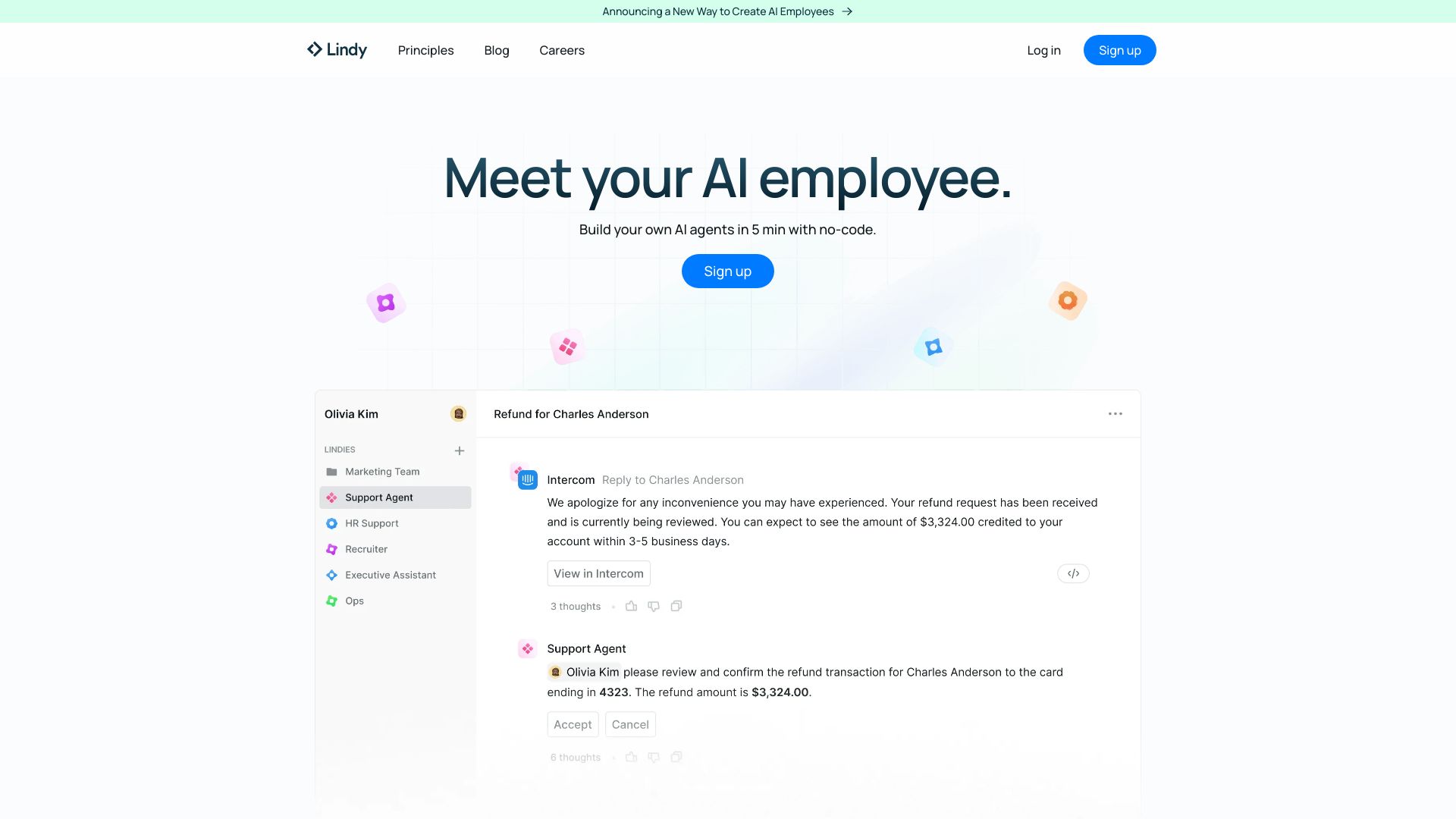
Lindy is a no-code AI agent platform for automating business work. Its official site positions the product around building AI agents that can handle tasks across email, calendar, meetings, CRM, support, sales, recruiting, and back-office workflows. The key idea is not only chat; it is letting an agent watch context, use connected apps, and perform repeatable steps.
That makes Lindy valuable when a workflow is clear enough to delegate but still repetitive enough to justify automation. It is less useful when the process is vague, high-risk, or constantly changing.
Best-fit use cases
| Use case | Lindy fit | Notes | |---|---:|---| | Sales and CRM admin | High | Strong when follow-up and data entry are repetitive. | | Calendar and inbox workflows | High | Useful for scheduling, triage, and routine responses. | | Support operations | Medium to high | Works when escalation rules and sources are clear. | | Recruiting coordination | Medium | Helpful for scheduling and candidate follow-up. | | Sensitive autonomous decisions | Low | Needs human approval and audit trails. |
What teams should verify
Teams should test connected-app permissions, approval steps, logging, rollback, data retention, prompt behavior, error handling, and whether the agent can stop when context is missing. The biggest risk is over-delegation: giving an agent broad access before the workflow is proven.
The best rollout starts with a narrow assistant, such as meeting follow-up or CRM cleanup, then expands once accuracy and controls are trusted.
Strengths
- Good fit for operational workflows that span several business apps.
- No-code agent building can reduce engineering dependency.
- Useful for routine admin work in sales, support, recruiting, and scheduling.
- Human approval steps can make agentic workflows safer.
Limitations
- Broad app access creates security and governance questions.
- Agents need clear instructions, bounded scope, and monitoring.
- High-risk actions should not be fully autonomous.
- Teams still need process owners to maintain workflows.
Bottom line
Lindy should be indexed as a no-code AI agent platform for business workflow automation. It is strongest when teams start with narrow, reviewable workflows and gradually expand permissions as reliability is proven.
Sources reviewed: Lindy homepage, Lindy pricing, Lindy templates.
FAQ
What is Lindy best for?
Lindy is best for building no-code AI agents that automate repeatable business workflows across email, calendar, CRM, meetings, support, sales, and recruiting tools.
Can Lindy agents act autonomously?
They can automate actions, but teams should use approval steps, logs, and narrow permissions for important or customer-impacting tasks.
What should teams check before deploying Lindy?
Check app permissions, data retention, approval rules, logging, error handling, rollback, prompt behavior, and whether workflows have clear owners.