LLMonitor
Open-Source Observability Toolkit for AI Developers In the rapidly evolving field of artificial intelligence, having the right tools for observability is crucial for developers. An open-source observability toolkit provides AI developers with the necessary resources to monitor, analyze, and optimize their applications effectively. Key Features of the Toolkit: - Comprehensive Monitoring: Track the performance of AI models in real-time to ensure optimal functionality. - User-Friendly Interface: Designed for ease of use, allowing developers to focus on building rather than troubleshooting. - Customizable Dashboards: Tailor your monitoring experience with dashboards that fit your specific needs. - Community Support: Benefit from a vibrant community of developers who contribute to the toolkit, ensuring continuous improvement and innovation. Why Choose an Open-Source Solution? Open-source observability tools offer flexibility and transparency, allowing developers to modify and enhance the toolkit according to their project requirements. This adaptability is essential in the fast-paced AI landscape, where needs can change rapidly. Enhance Your AI Development Process By integrating an open-source observability toolkit into your workflow, you can significantly improve your AI development process. Gain insights into model performance, identify bottlenecks, and make data-driven decisions to enhance your applications. In conclusion, an open-source observability toolkit is an invaluable asset for AI developers looking to optimize their projects. With its robust features and community-driven support, it empowers developers to achieve greater efficiency and effectiveness in their work.
Editorial Review
LLMonitor review: now Lunary for LLM observability and prompt management
LLMonitor now resolves to Lunary, an observability and prompt management platform for LLM-powered applications. The current Lunary homepage says it helps teams build AI agents with confidence, monitor chatbot behavior, debug LLM agents, analyze usage, iterate on prompts, and work across different models and frameworks. The documentation describes observability, product analytics, conversations, prompt templates with versioning, classification, user feedback, tags, security, BigQuery connector, self-hosting, and integrations for Python, JavaScript, OpenTelemetry, OpenAI, Azure OpenAI, Mistral, LangChain, LiteLLM, and other stacks.
The strongest fit is an engineering team shipping a chatbot, internal AI assistant, support copilot, or agentic workflow that needs visibility into real requests. Lunary is not just a logging dashboard. It becomes valuable when teams use traces, conversations, feedback, prompt versions, and analytics to improve reliability after deployment. The key buying question is whether the team will actually review this feedback loop every week, because observability only helps when it changes prompts, retrieval, routing, or product behavior.
Best-fit use cases
| Use case | Fit | Notes | |---|---:|---| | LLM observability | High | Homepage and docs center on monitoring and debugging. | | Prompt management | High | Docs describe prompt templates and versioning. | | Chatbot analytics | High | Conversation tracking and feedback are documented. | | Multi-provider AI apps | Medium to high | Integrations cover several model providers and frameworks. | | One-off prompt experiments | Low to medium | A simpler notebook may be enough. |
What users should verify
Teams should test SDK integration effort, trace completeness, latency and cost visibility, prompt versioning workflow, feedback capture, topic classification, user analytics, data retention, PII controls, self-hosting needs, BigQuery export, role permissions, alerting, and how Lunary fits into existing incident and release workflows.
Strengths
- Practical coverage of observability, conversations, prompts, feedback, and analytics.
- Broad integration story for common LLM providers and frameworks.
- Useful for teams that need to debug real user behavior rather than only test prompts offline.
- Self-hosting and security documentation make it more credible for privacy-sensitive teams.
Limitations
- Instrumentation quality depends on how thoroughly the app is integrated.
- Observability does not automatically fix weak retrieval, prompts, or product design.
- Teams need clear ownership for reviewing traces and acting on feedback.
- Sensitive conversation data requires retention, masking, and access-control review.
Bottom line
Lunary is best for teams that already have LLM features in production or close to production. It gives developers and product teams a shared place to monitor behavior, improve prompts, understand users, and make AI applications more reliable over time.
Sources reviewed: Lunary homepage, Lunary documentation.
FAQ
What is LLMonitor now?
The LLMonitor listing currently resolves to Lunary, a platform for LLM observability, prompt management, chatbot analytics, feedback, and AI app debugging.
What is Lunary best for?
Lunary is best for teams building production LLM apps that need traces, conversations, prompt versioning, feedback, analytics, and debugging tools.
What should teams check before adopting Lunary?
Teams should check integration effort, trace coverage, prompt workflows, retention, PII controls, permissions, self-hosting, exports, and incident processes.
AI Project Details
What is LLMonitor?
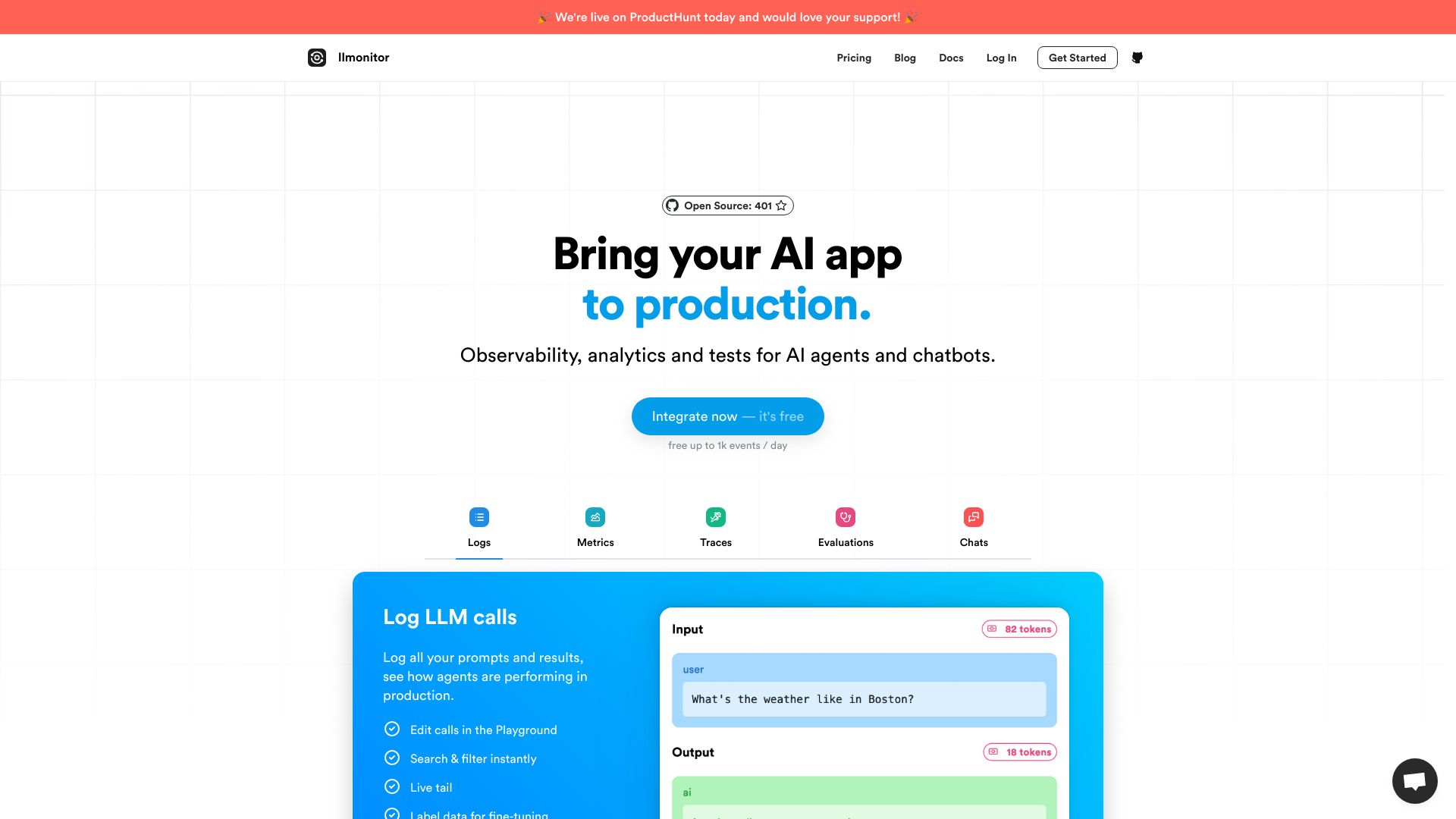
LLMonitor is an open source monitoring and production toolkit designed specifically for AI applications.
How to use LLMonitor?
Optimize your AI app with LLMonitor, an observability and logging platform tailored for LLM-based applications.
LLMonitor's Core Features
- Logs
- Metrics
- Traces
- Evaluations
- Chats
- Trace agent executions
- Error stack traces
- Replay user chats
- Record user conversations
- AI-powered assertions & tests
- Automated Alerts
- CI/CD pipeline integration
- Sentiment Analysis
- Dev-friendly frontend integration
- Create training datasets
LLMonitor's Use Cases
- Observability, analytics, and tests for AI agents and chatbots
- Debug complex agents
- Identify gaps in your chatbot's knowledge
- Fine-tune models
- Reduce costs
- Monitor all your LLMs
FAQ from LLMonitor
What is LLMonitor?
How can LLMonitor help optimize AI apps?
What are the key features of LLMonitor?
Who uses LLMonitor?
Is LLMonitor free to use?
Can I self-host LLMonitor?
LLMonitor Support
Here is the LLMonitor support email for customer service: [email protected].
LLMonitor Company
LLMonitor Company name: Lunary LLC.
LLMonitor Login
LLMonitor Login L