Nimbalyst
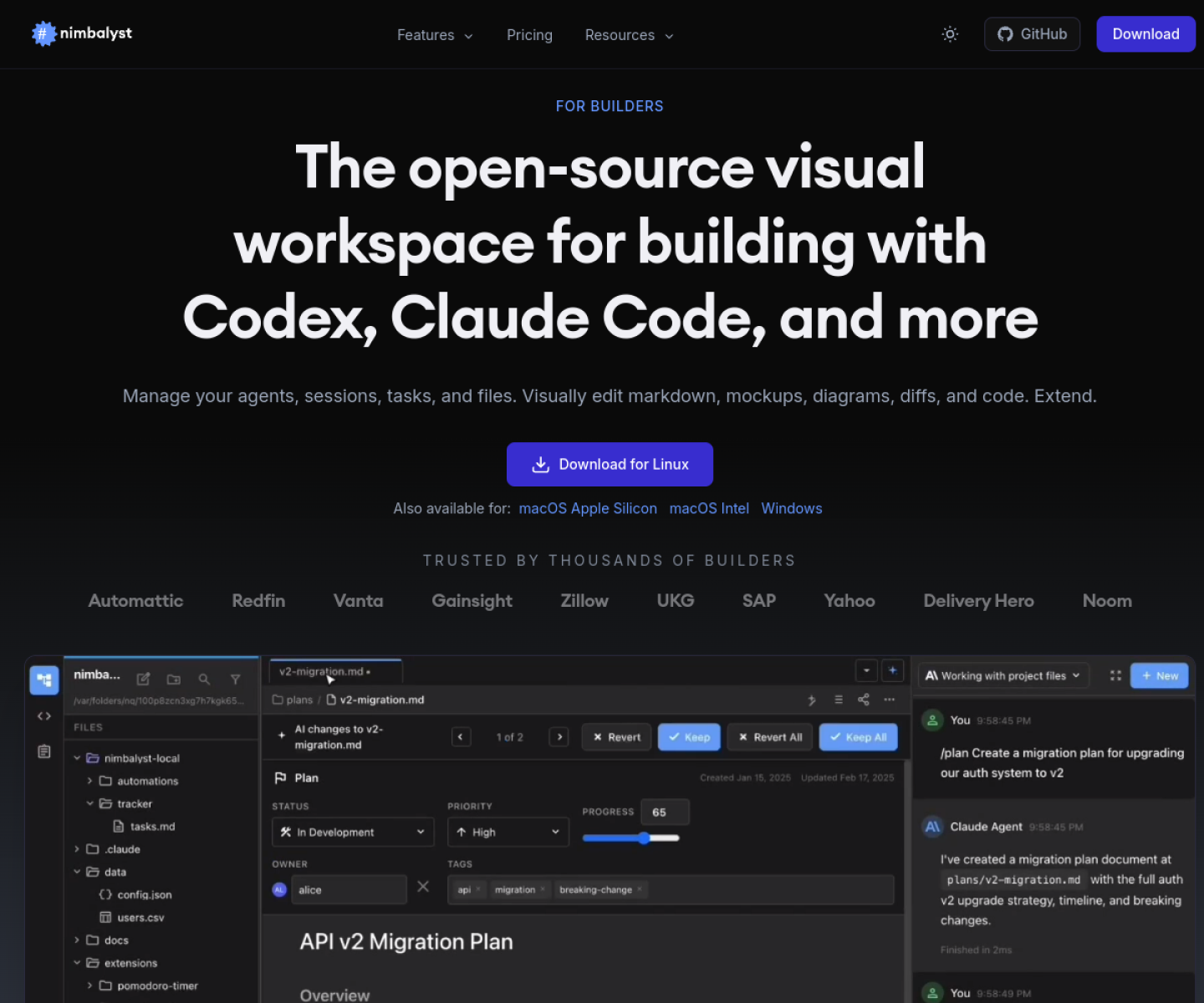
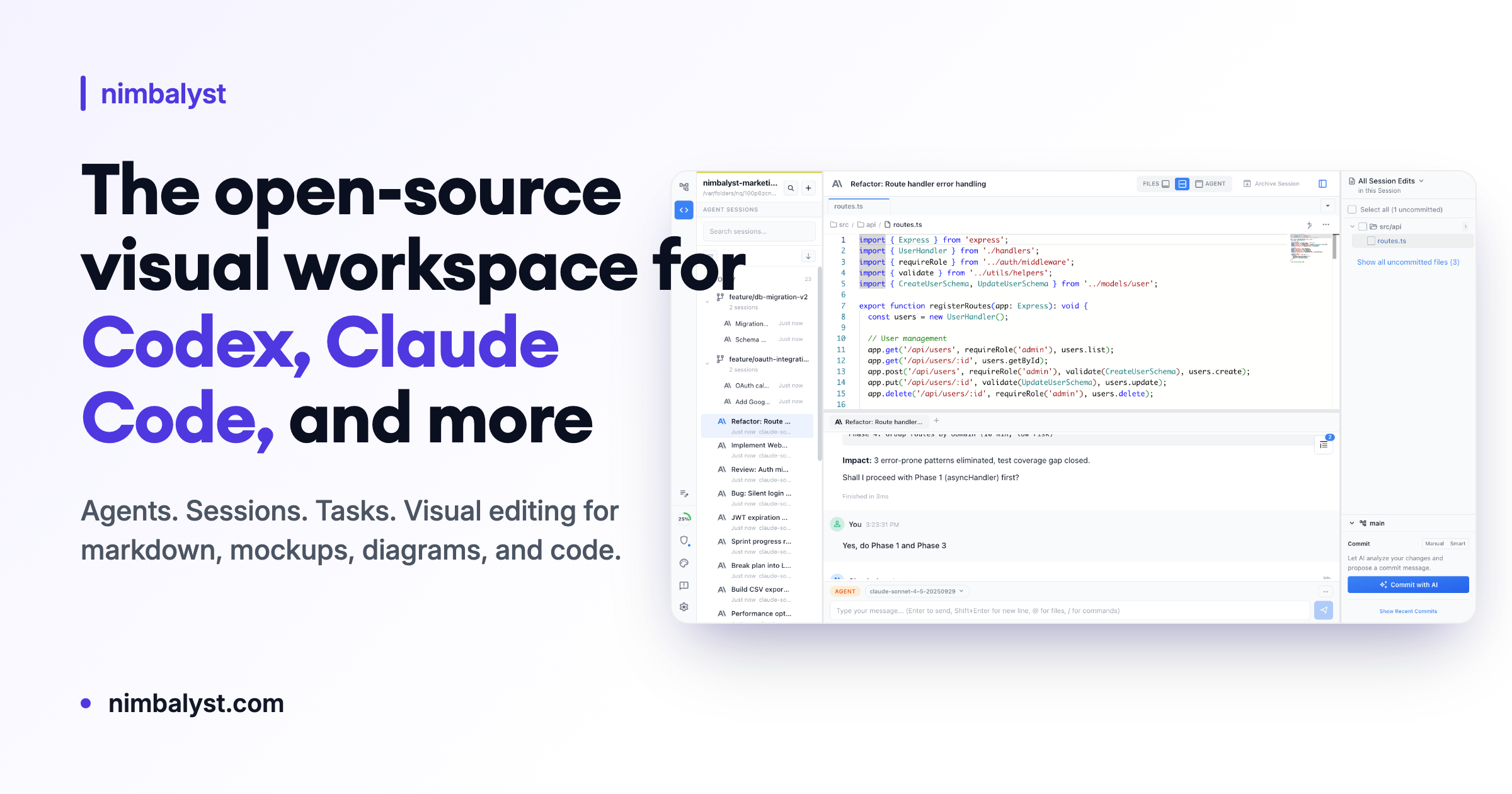
Open-source visual workspace for Codex, Claude Code, and other coding agents with visual file editing, session management, and task tracking.
AI Project Details
Nimbalyst review: Open-source visual workspace for Codex, Claude Code, and other coding agents with visual file editing, session management, and task tracking.
Nimbalyst is aimed at builders who like coding agents but want more visibility and structure than a raw terminal session provides. The current product materials describe a workflow built around open a local workspace, run agent sessions, review edits visually across markdown or code, manage sessions on a kanban board, and keep tasks inside the same environment. That matters because many new AI launches still sound broad until you try to map them to an actual job.
The reason this tool stands out is practical fit. The product is unusually explicit about editing agent output visually instead of only watching a terminal stream. The official site and repo show a concrete product surface across editors, sessions, and task boards rather than a vague agent shell pitch. It became newly notable after the open-source push in May 2026 made the product easier to evaluate and self-host.
How the workflow works
The fastest way to judge Nimbalyst is to walk the main loop on one real task. For this product, users should open a local workspace, run agent sessions, review edits visually across markdown or code, manage sessions on a kanban board, and keep tasks inside the same environment. If that loop feels clearer, more controllable, or easier to repeat than the alternatives, the product is doing useful work.
Where Nimbalyst stands out
| Evaluation angle | Fit | Why it matters | | --- | --- | --- | | Best-fit user | High | Builders who like coding agents but want more visibility and structure than a raw terminal session provides. | | Core workflow clarity | High | Open a local workspace, run agent sessions, review edits visually across markdown or code, manage sessions on a kanban board, and keep tasks inside the same environment. | | Switching cost reducer | Medium to high | The product is unusually explicit about editing agent output visually instead of only watching a terminal stream. | | Adoption risk | Medium | Teams should check whether the visual layer speeds up their real workflows or simply adds another interface around tools they already like. |
Practical use cases
- Reviewing coding-agent edits in a visual workspace
- Running multiple Codex or Claude Code sessions in parallel
- Managing tasks, sessions, and file diffs in one local agent environment
Limits and buying notes
Teams should check whether the visual layer speeds up their real workflows or simply adds another interface around tools they already like. The product is strongest for users already committed to agent-driven work, not for developers who prefer a plain editor and minimal orchestration. Pricing status today: The official site positions Nimbalyst as a downloadable open-source workspace and does not expose a separate SaaS pricing grid on the reviewed pages.
FAQ
What is Nimbalyst best for?
Nimbalyst works best when reviewing coding-agent edits in a visual workspace matters more than using a generic assistant. The official materials point to a more concrete workflow than a blank AI shell.
Who should try Nimbalyst first?
Builders who like coding agents but want more visibility and structure than a raw terminal session provides. Teams with that exact workflow will learn faster than broad curiosity users.
What should users verify before adopting Nimbalyst?
Teams should check whether the visual layer speeds up their real workflows or simply adds another interface around tools they already like. The product is strongest for users already committed to agent-driven work, not for developers who prefer a plain editor and minimal orchestration. Users should also check the current docs, pricing, and release status before rollout.
Reviewed sources
- https://nimbalyst.com/
- https://nimbalyst.com/open-source/
- https://github.com/Nimbalyst/nimbalyst
FAQ
What is Nimbalyst best for?
Nimbalyst works best when reviewing coding-agent edits in a visual workspace matters more than using a generic assistant. The official materials point to a more concrete workflow than a blank AI shell.
Who should try Nimbalyst first?
Builders who like coding agents but want more visibility and structure than a raw terminal session provides. Teams with that exact workflow will learn faster than broad curiosity users.
What should users verify before adopting Nimbalyst?
Teams should check whether the visual layer speeds up their real workflows or simply adds another interface around tools they already like. The product is strongest for users already committed to agent-driven work, not for developers who prefer a plain editor and minimal orchestration. Users should also check the current docs, pricing, and release status before rollout.