ProofShot
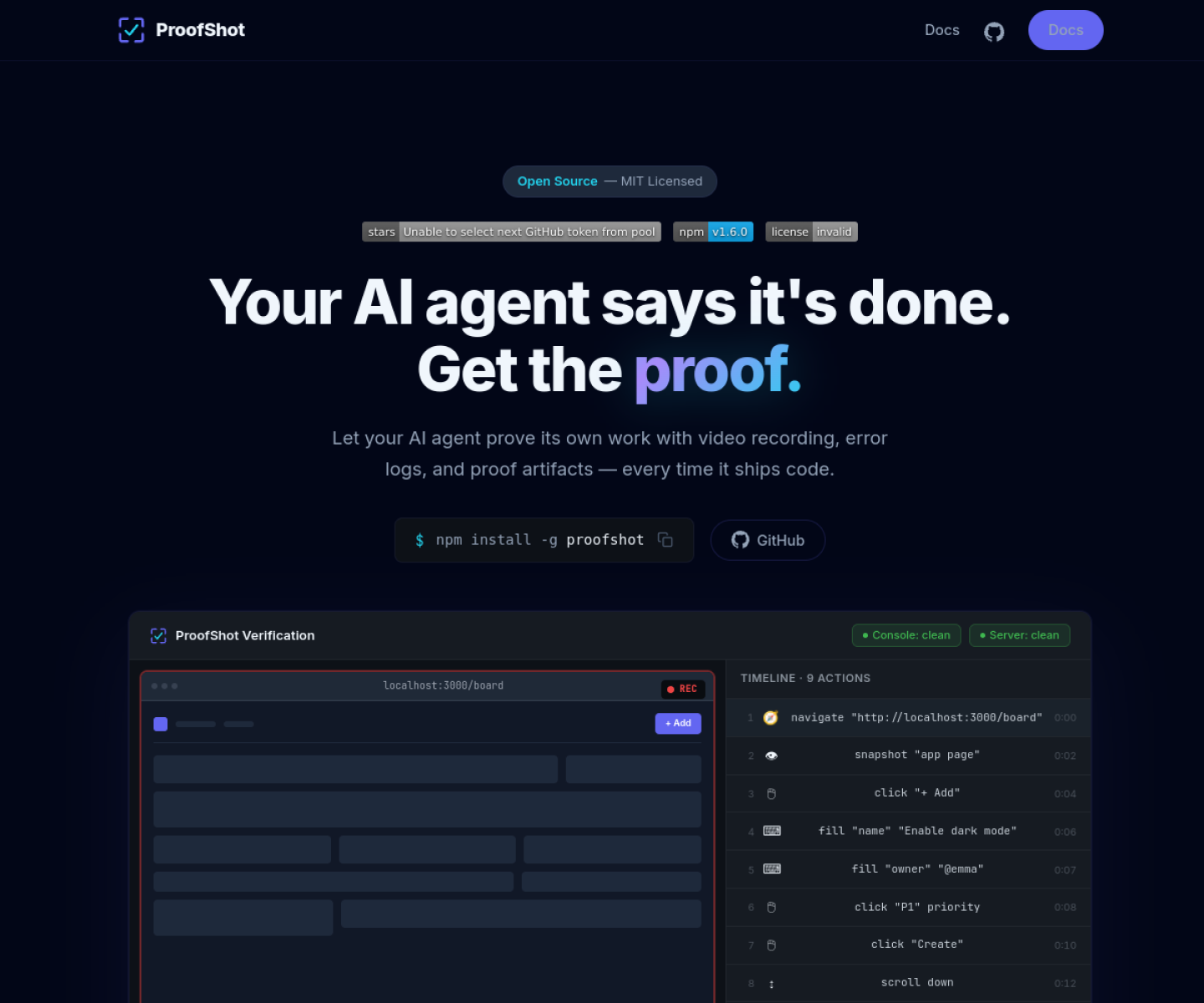
Agent-agnostic verification CLI that lets coding agents interact with a real browser, capture evidence, and output a reviewable proof bundle with screenshots, video, and logs.
AI Project Details
ProofShot review: Agent-agnostic verification CLI that lets coding agents interact with a real browser, capture evidence, and output a reviewable proof bundle with screenshots, video, and logs.
ProofShot stands out because it is not just another chat shell. The product materials describe a system centered on wrap a local dev server with proofshot, let the agent drive the browser and take screenshots, then inspect the generated evidence bundle instead of relying on a text-only success claim. That matters because the mechanism is the product, not a thin wrapper around a frontier model.
Why the architecture matters
ProofShot solves the narrow verification gap between code generation and UI proof, which many agent workflows still leave to manual checking. The output format is concrete and inspectable: timeline, video, screenshots, and error logs in one artifact. Because it stays shell-friendly and agent-agnostic, it fits existing Claude Code, Codex, and similar flows more easily than a full hosted test platform.
How to evaluate the core loop
Start by testing the narrowest real workflow the product claims to improve. For ProofShot, that means users should wrap a local dev server with proofshot, let the agent drive the browser and take screenshots, then inspect the generated evidence bundle instead of relying on a text-only success claim. The result should be easier to inspect, integrate, or control than a direct agent session.
Where it stands out
| Evaluation angle | Fit | Why it matters | | --- | --- | --- | | Best-fit user | High | Developers who want a lightweight way to verify whether an AI-built UI actually works before trusting the agent's own claim. | | Core workflow clarity | High | Wrap a local dev server with ProofShot, let the agent drive the browser and take screenshots, then inspect the generated evidence bundle instead of relying on a text-only success claim. | | Switching cost reducer | Medium to high | ProofShot solves the narrow verification gap between code generation and UI proof, which many agent workflows still leave to manual checking. | | Adoption risk | Medium | ProofShot verifies visible behavior, but it does not replace deeper functional, accessibility, or security testing. |
Practical use cases
- Giving coding agents a browser-based verification loop for UI work
- Collecting screenshots and logs from an agent-run test session
- Reviewing whether a feature actually appeared in the running app
Limits and buying notes
ProofShot verifies visible behavior, but it does not replace deeper functional, accessibility, or security testing. Teams still need to decide what evidence quality is good enough for their own release or review process. Pricing status today: The official site presents ProofShot as open source and MIT licensed, with installation via npm and no paid pricing disclosed on the reviewed public page.
FAQ
What is ProofShot best for?
ProofShot is strongest when giving coding agents a browser-based verification loop for ui work matters more than a generic AI demo. The official product materials position it around a concrete workflow rather than a blank chatbot shell.
Who should try ProofShot first?
Developers who want a lightweight way to verify whether an AI-built UI actually works before trusting the agent's own claim. Teams with a real workflow match will get value faster than general curiosity users.
What should buyers verify before adopting ProofShot?
ProofShot verifies visible behavior, but it does not replace deeper functional, accessibility, or security testing. Teams still need to decide what evidence quality is good enough for their own release or review process. Pricing, privacy, and workflow fit should be checked directly on the current product before rollout.
Reviewed sources
- https://proofshot.argil.io/
- https://news.ycombinator.com/item?id=47499672
- https://proofshot.argil.io/#how-it-works
FAQ
What is ProofShot best for?
ProofShot is strongest when giving coding agents a browser-based verification loop for ui work matters more than a generic AI demo. The official product materials position it around a concrete workflow rather than a blank chatbot shell.
Who should try ProofShot first?
Developers who want a lightweight way to verify whether an AI-built UI actually works before trusting the agent's own claim. Teams with a real workflow match will get value faster than general curiosity users.
What should buyers verify before adopting ProofShot?
ProofShot verifies visible behavior, but it does not replace deeper functional, accessibility, or security testing. Teams still need to decide what evidence quality is good enough for their own release or review process. Pricing, privacy, and workflow fit should be checked directly on the current product before rollout.